
Once you are satisfied with your course definitions, you can make them available to the world.
Click the "Share" link or button to display the sharing and display options.
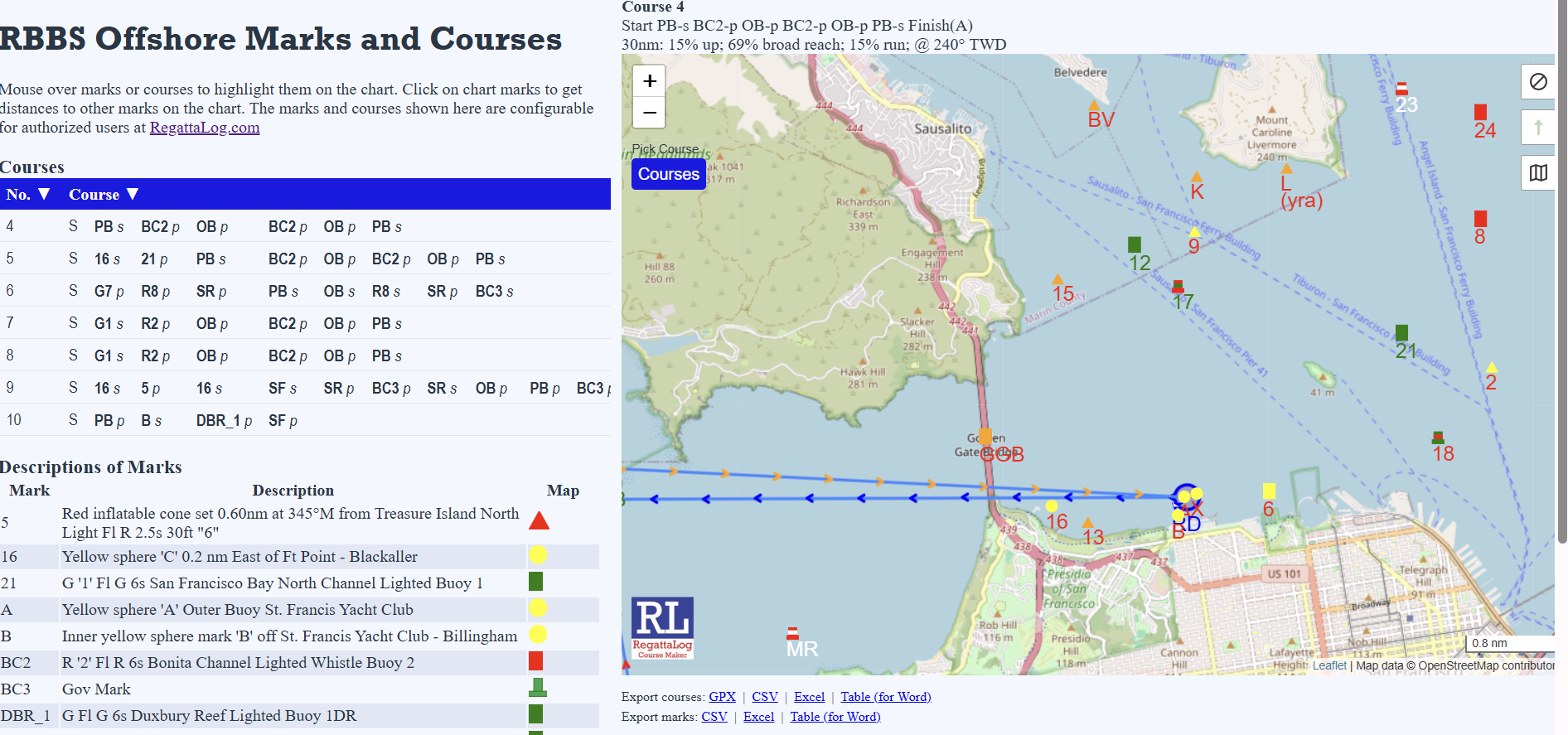
Simplest is a Public course view This simply gives a link where the public may see the courses illustrated with the mark definitions. Share the link and QR code.
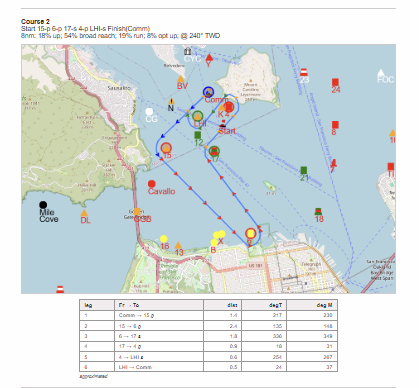
Printable pages can be downloaded or printed from the site. This prints automatically at one course per page with a chart, a course description, and distances and bearings between course marks. Users can print at two courses per page of they wish.
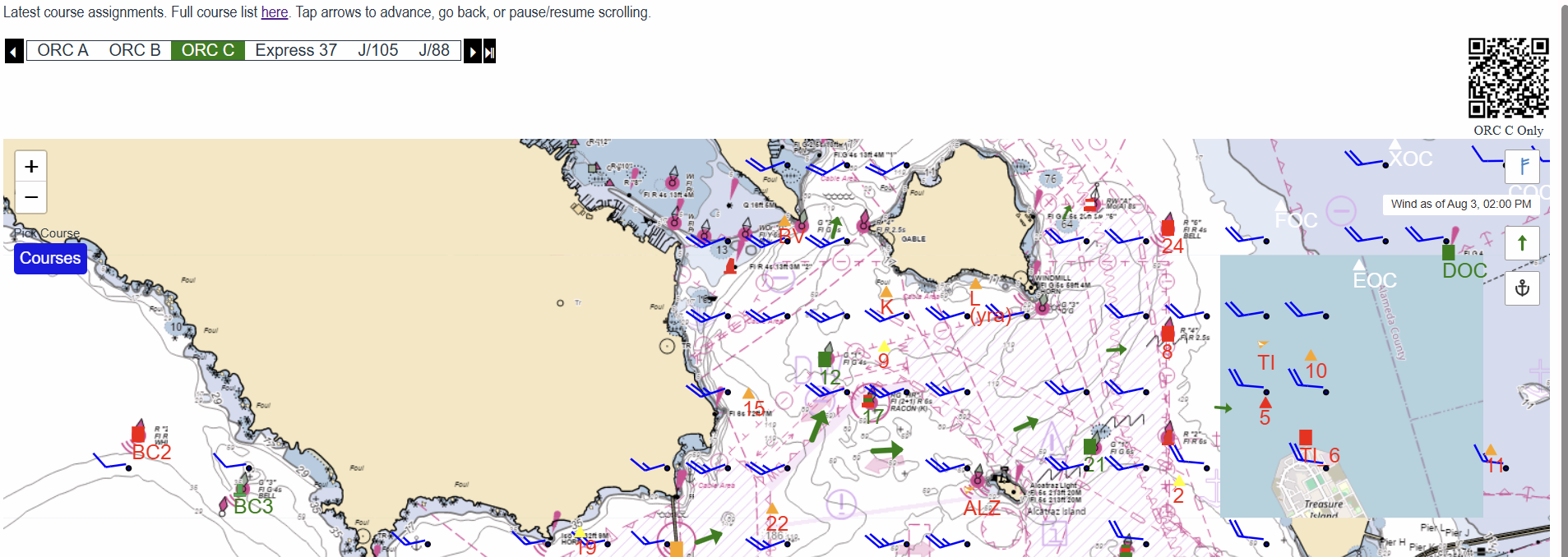
The Kiosk / embeddable display is designed for embedding in an iframe or as a standalone display. It is mostly chart, with a top banner that rotates through the divisions set up for the regatta and, once assigned, displays their courses. This is remotely configured through the RC COURSE POSTING form found on the share page. Options include whether to show or allow different wind, current, and chart selection. A QR code allows the selection of a fixed single class for display.
DOWNLOAD LINKS
These links can be copied from the share page and are included in the public view page. The Table (for Word) options are designed to be dropped directly into a Sailing Instructions draft if you choose.
Export courses
For dropping into navigation software, a spreadsheet, or a Word sailing instructions document we have the following options:
GPX (for Expedition), CSV, Excel, Table (for Word), Printable per course
Export marks
Just the mark list -- code and description (lat/lon shown only when you're logged in).
CSV, Excel, Table (for Word)